Made by students, for engineering campuses

Your whole campus, in one app.

Your routine, your CR’s notices, the course files and the print queue. All in one calm place, instead of somewhere in a group chat.

  • Class routineToday’s classes and rooms
  • CR noticesStraight from your CR
  • Course filesSlides, notes, past papers
  • Campus PrintNearby shops, live prices

The problem

Sound familiar?

Group chats are great for chatting. They were never built to run a semester.

  • Rushed in for the 9 AM.Cancelled. Nobody told you.
  • The notice that mattered.Somewhere under a hundred “ok”s.
  • Notes, slides, past papers.Ten links, half of them expired.
  • One printer, the whole batch.Ten minutes before the deadline.

Keep the group chat for friends. Use My University for university.

See how a day looks

Available now

One ordinary day, start to finish.

Real screens from the app, with sample data. Everything in this section is in the app today.

  1. 07:40Available now

    Know where you’re going.

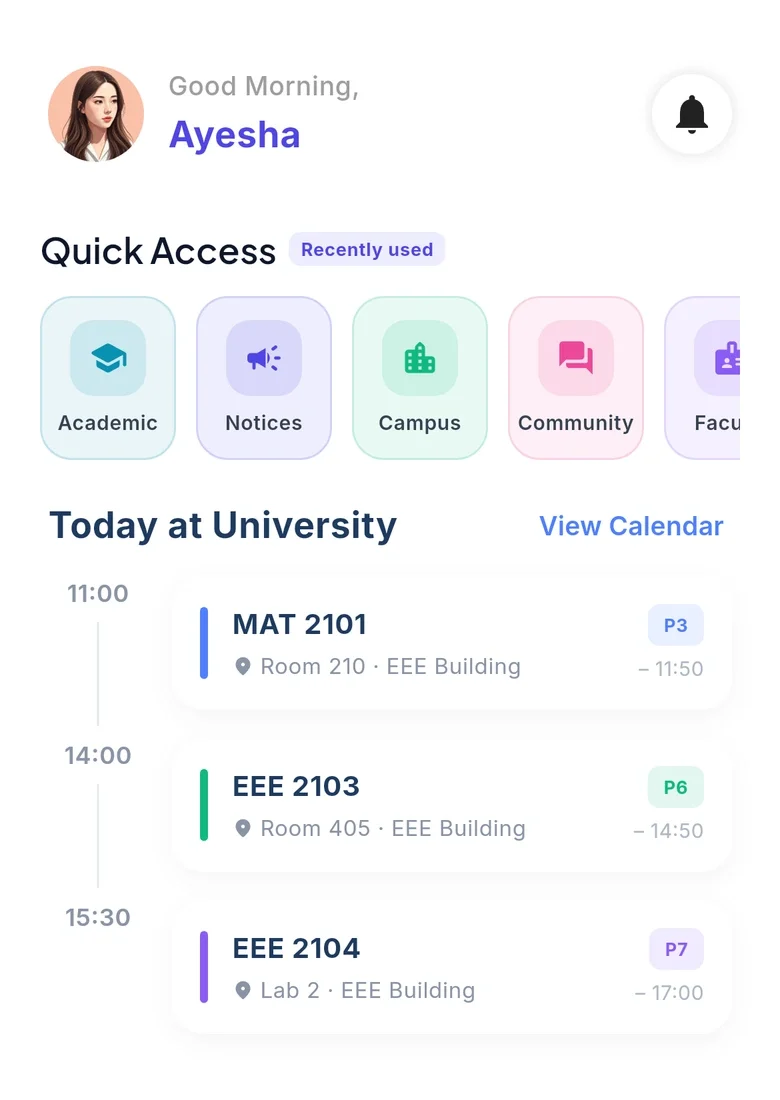
    • Today at University. Open the app and see today’s classes and labs as a simple timeline.
    • Class Routine. See your weekly timetable, with labs clearly marked. Your CR checks for clashes before publishing changes.
    How Academic works
    The app’s home screen: today’s classes as a timeline, with rooms and periods
  2. 10:15Available now

    The room changed. You already know.

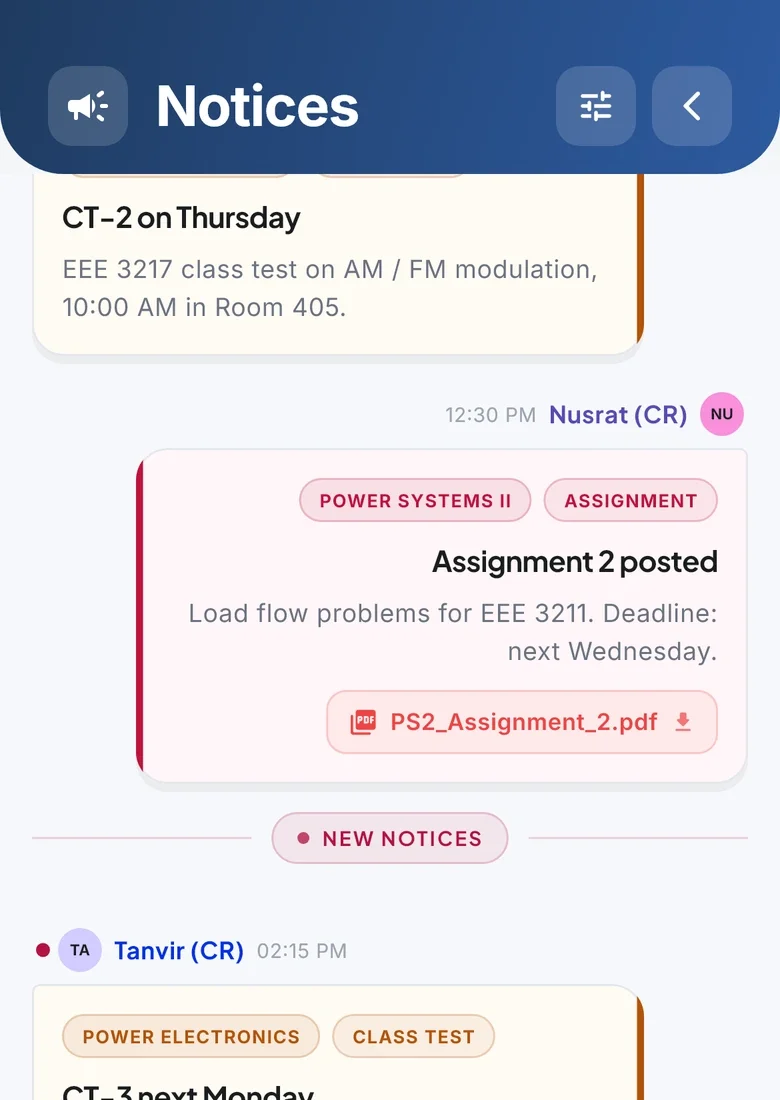
    • Notices from your CR. Class notices arrive as push notifications, so important changes reach your phone.
    • Push notifications. Get class updates, CR announcements and print alerts on your phone.
    How Academic works
    Class notices from the section’s CRs, tagged by course
  3. 13:00Available now

    Week-three slides, still there.

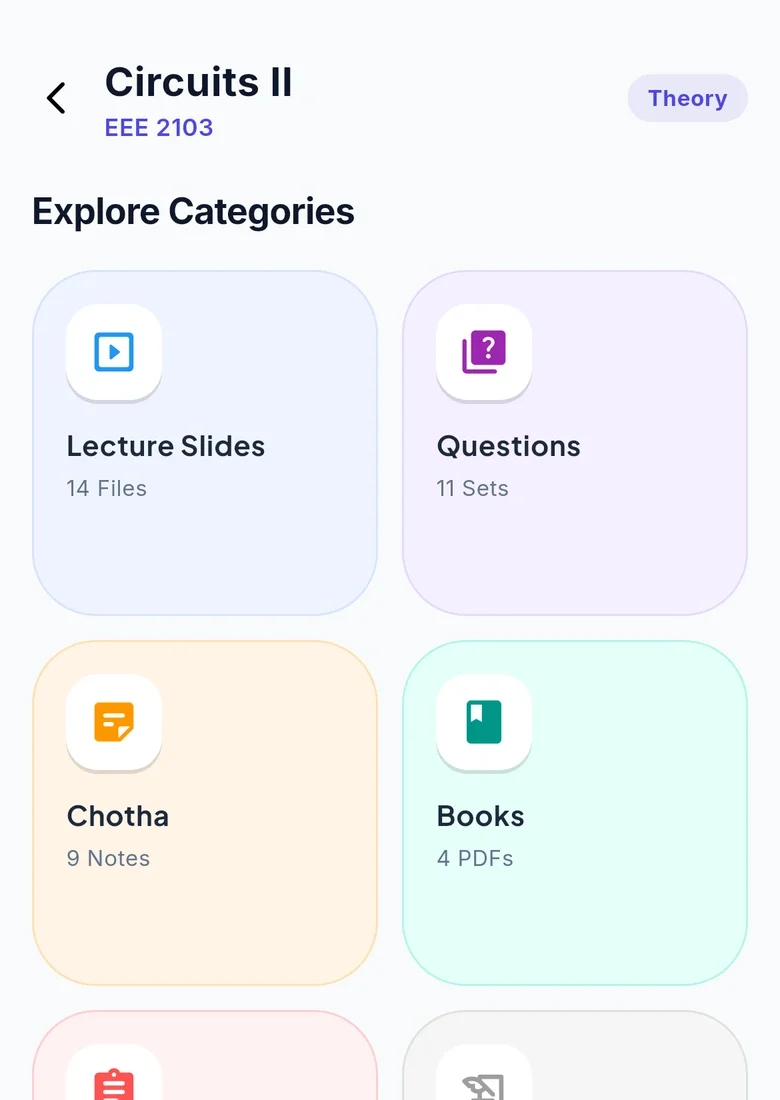
    • Resources you can keep. Find notes by department, semester and section. Download once and keep them offline.
    • Academic dashboard. Courses, teachers, upcoming exams, notices and resources, together in one place.
    How Academic works
    Course files for one course, sorted into slides, questions, notes, books, assignments and past papers
  4. 14:30Available now

    Print it from your seat.

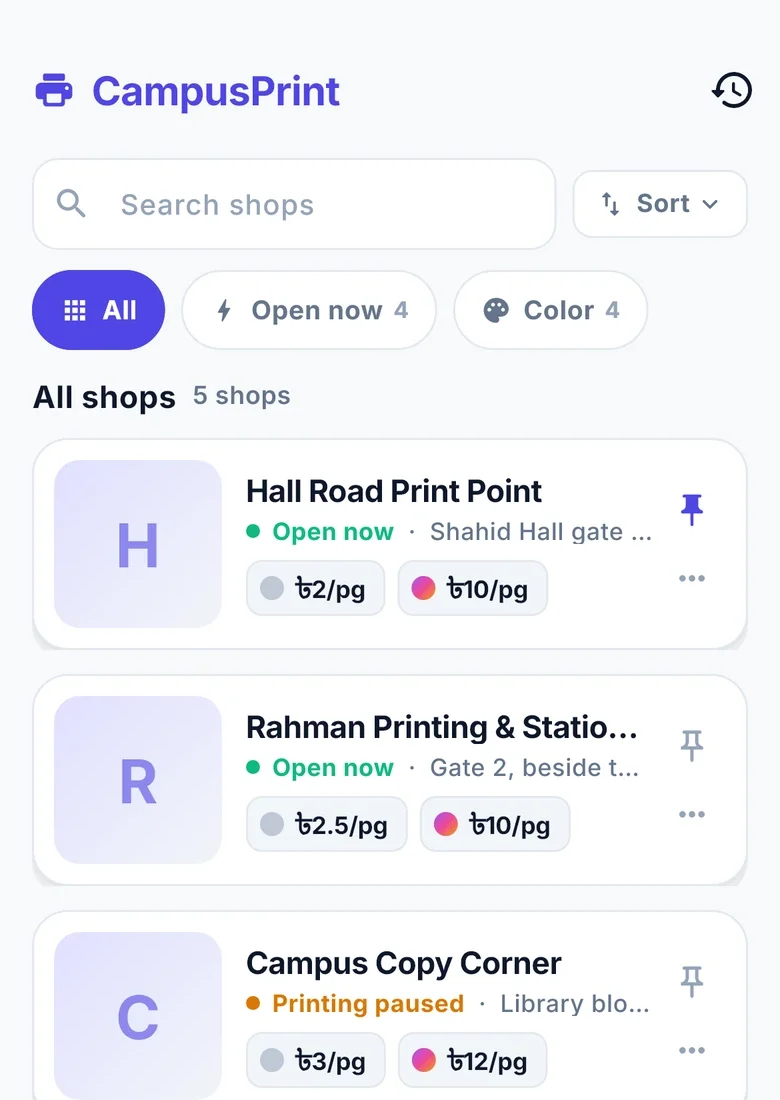
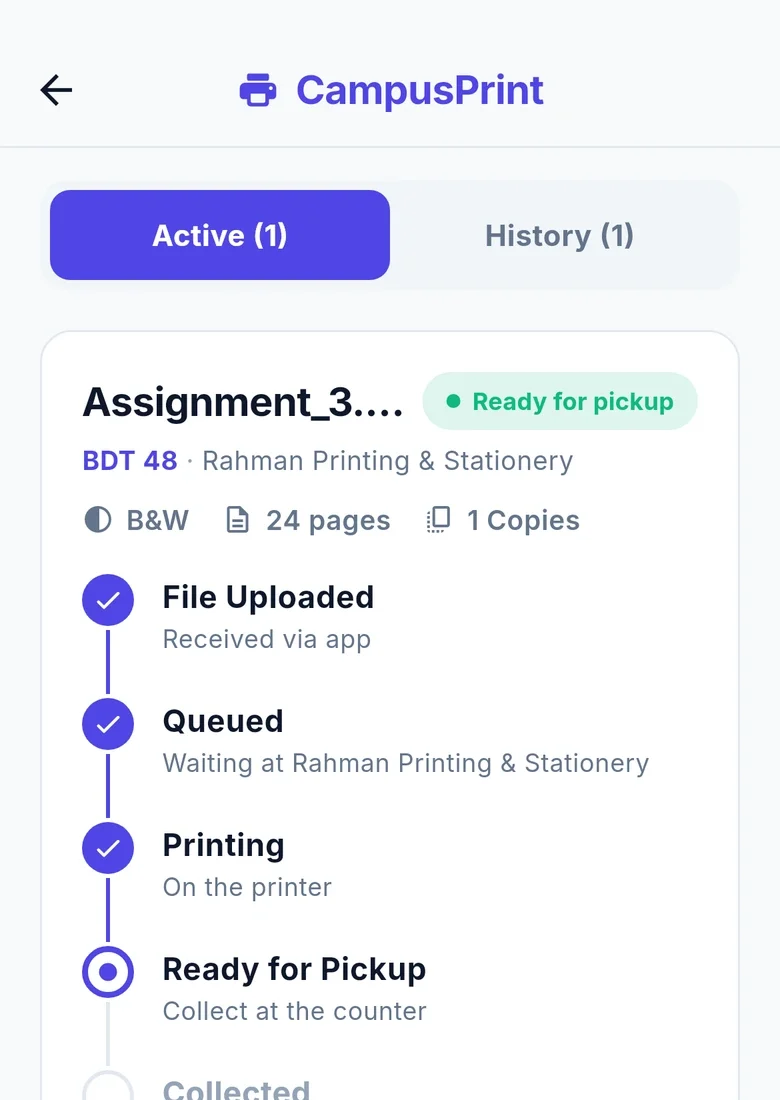
    • Campus Print. Choose a shop, check its prices and paper, select pages and print options, follow the queue and get a ready notification.
    • A practice walkthrough. Learn the print flow with an interactive practice shop. Replay the tour from Settings.
    How Campus Print works
    Campus Print: nearby shops with live prices and whether they are open

Behind it

Behind every notice, a CR.
Behind every page, a print shop.

Available now

CR Panel For class representatives

Write it once. The whole section gets it. No more pasting the same message into five chats.

  1. Publish a clash-checked routineUpload a spreadsheet or type a routine. Review clashes and changes before publishing. Each publish records who and when.
  2. Send a noticePost an announcement and notify the whole section.
  3. Share course filesUpload study materials and notify your section.
  4. Assign teachersSet which teacher takes each course in your section.
For CRs

Available now

The shop app For print-shop owners

Jobs arrive ready to print. The queue runs itself, and every page is on the record.

  1. Windows shop appIncoming jobs, automatic printing, paper tracking and a running account for each student.
  2. Charges that follow printingStudents are charged when printing starts. The shop’s page counts settle the bill in a tamper-evident ledger.
  3. Approved pay laterA shop can approve individual students for credit and release their waiting jobs.
  4. Remote phone panelSee the queue, take cash on account, check today’s earnings and get out-of-paper alerts.
For print shops

What we’re working on

On the workbench.

Next update means finished and tested, waiting for the next release. Coming soon means we’re building it, with no dates promised.

The full roadmap
  1. Next update

    Covers and registration forms

    Lab report covers and course registration forms fill in known details, show a PDF preview and work offline. Signature lines stay blank.

  2. Next update

    Smart Document Covers

    Your lab group teaches the app once. Classmates get a suggested cover and a group submission board. Sharing is optional.

  3. Next update

    Find Donor

    An opt-in donor directory is coming next. Choose the contact number you share, filter by blood group and leave whenever you want.

  4. Next update

    Pickup receipt

    A collected step and pickup receipt notification are coming in the next update.

  5. Next update

    Your section’s price

    A section rate applied automatically at your section’s shop is coming in the next update.

  6. Coming soon

    Bus tracking

    Bus location tracking is on the roadmap.

  7. Coming soon

    Video courses

    Lessons, instructor Q&A, progress and certificates are planned. Video courses are held from release.

  8. Coming soon

    Math Lab

    Interactive 2D and 3D mathematics visualisations are planned.

  9. Coming soon

    MU Gravity

    A separate teaching app with handwriting and live simulations is coming soon.

Made by students. For students.

Let’s make university life easier.

Run a print shop? Get the Windows app. Questions first? Read the answers or see why we started.